
Motorola FRP tool is a very useful tool for those who want to bypass the Factory Reset Protection lock on their Motorola device. This tool can be used on any computer, and it is very easy to use. There are many tutorials on the internet that show you how to use this tool, but most of them are outdated and don’t work anymore. In this article, we will show you the updated method on how to bypass the FRP lock on your Motorola device. The process of removing Motorola FRP bypass with a Computer is not as complicated as it may seem. With the right tools and guidance, you can easily bypass the FRP lock on your Motorola device.
The process of removing FRP from a Motorola device can be done with the help of a computer. This can be done by downloading and installing the Motorola FRP bypass tool on your computer. Once the tool is installed, you will need to connect your Motorola device to the computer and then run the tool. The tool will then remove the FRP bypass from your device.
How to Motorola FRP bypass with Computer
Motorola FRP bypass with a computer is a very simple and easy process. You just need to follow some simple steps and you will be able to remove the FRP lock from your Motorola phone within minutes.
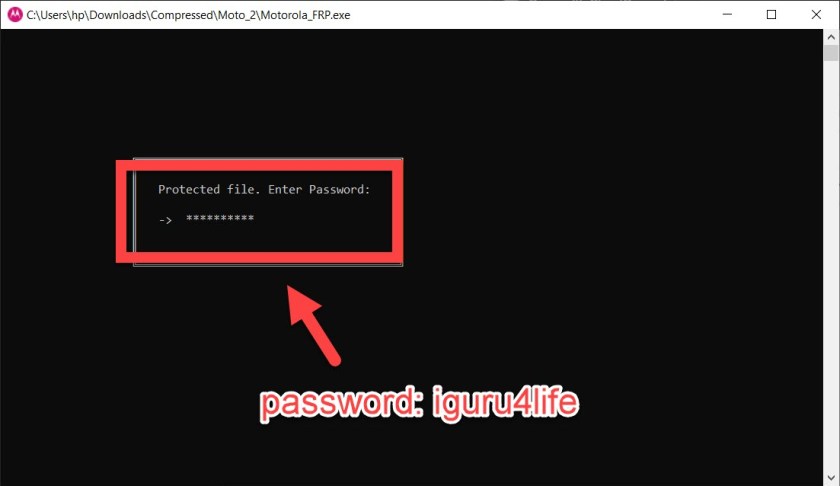
- Download the Motorola FRP tool then Run the tool as an administrator.
- Enter the password: iguru4life then click OK

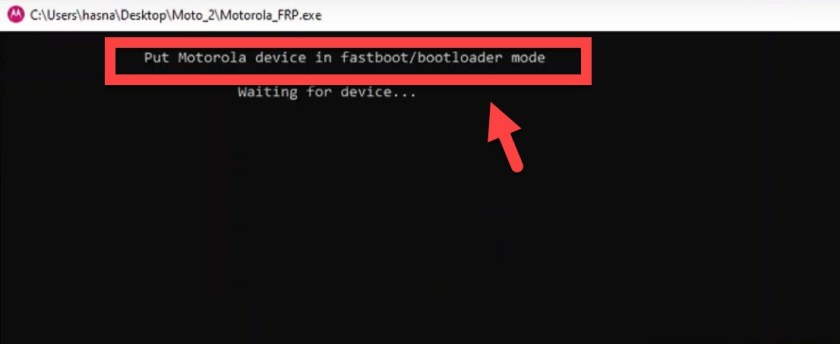
- Put your Motorola device in fastboot/bootloader mode

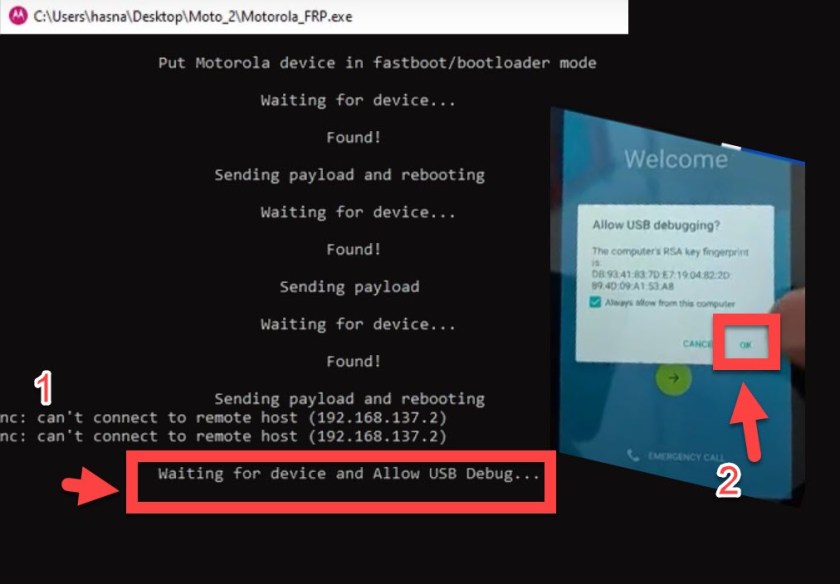
- Sending payload and rebooting
- Allow USB Debugging on your Motorola device.

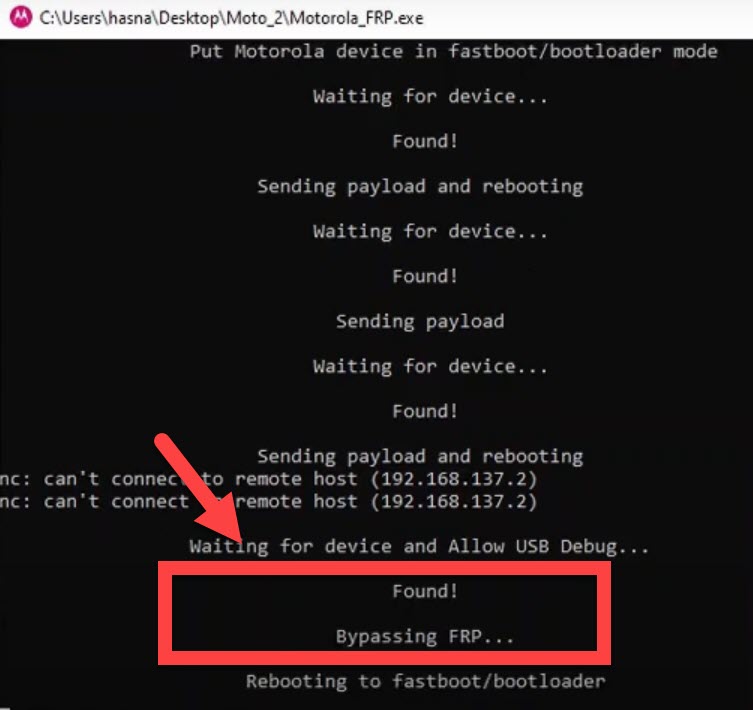
- Waiting bypassing FRP Motorola device.

- That’s it! You have successfully removed FRP Motorola device Gmail lock Bypass FRP With PC.
Bypassing the FRP lock on a Motorola phone can be a daunting task, but it is possible with the right tools and instructions. This guide has provided a step-by-step guide on how to remove the FRP lock from a Motorola phone using a computer. following these steps carefully will ensure that the FRP lock is removed and that the phone is usable again.
Other methods without a computer: