
If you are looking for a way to bypass the FRP lock on your itel A14 smartphone, then you have come to the right place. In this guide, we will show you how to bypass the FRP lock on your itel A14 without the need for a PC or any other external device. This method is quick and easy, and you will be able to bypass the FRP lock on your itel A14 in no time.
The way to FRP bypass Gmail account without PC for Itel A14 is very easy to follow. You won’t need a computer for this method, which is good news for those who don’t have access to one. You will, however, need an internet connection and an FRP app.
How to Reset FRP itel A14
- Power ON your itel A14.
- Connect your itel A14 to your Wi-Fi.
- Go back to Welcome Screen & Change the Language to Hindi.
- Complete the setup until the Wifi Network page.
- Add Network > Langue Logo > Edit keyboard.

- ADD KEYBOARD > Choose any languages with the ARROW next to it > 3dots.
- Choose Help & feedback and click on Delete or disable apps on Android.
- Click on Tap to go to Application Settings.
- Youtube Go > App notifications > Additional settings in the app
- About > Youtube Terms of services > Chrome.
- A Google Chrome welcome page appears on the screen.
- Visit this link FRP APK and Download Android_8-9_GAM apk & FRP_Bypassfrp.apk:
- Install Google account manager and don’t open it
- Install FRP_Bypassfrp.apk and click on Open
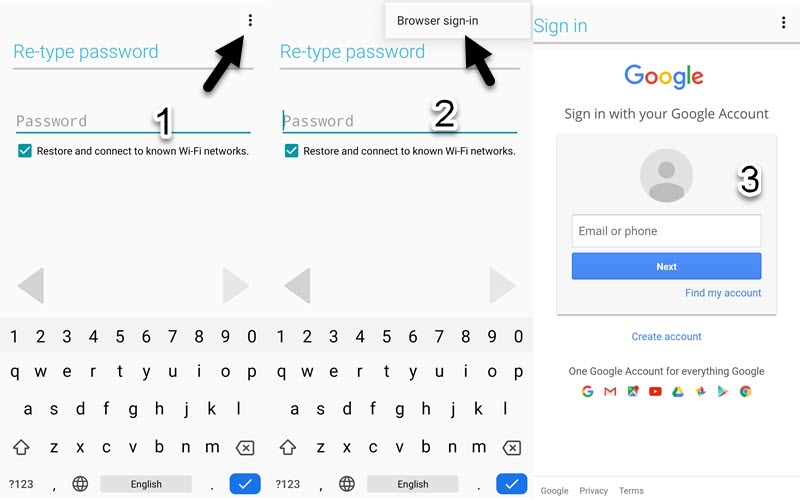
- Click on 3 dots upright & choose browser sign in.
- Sign in with your Gmail account.

- Restart your itel A14 and finish the setup wizard.
- That’s how you can Unlock FRP itel A14 Gmail account bypass FRP itel without Laptop.
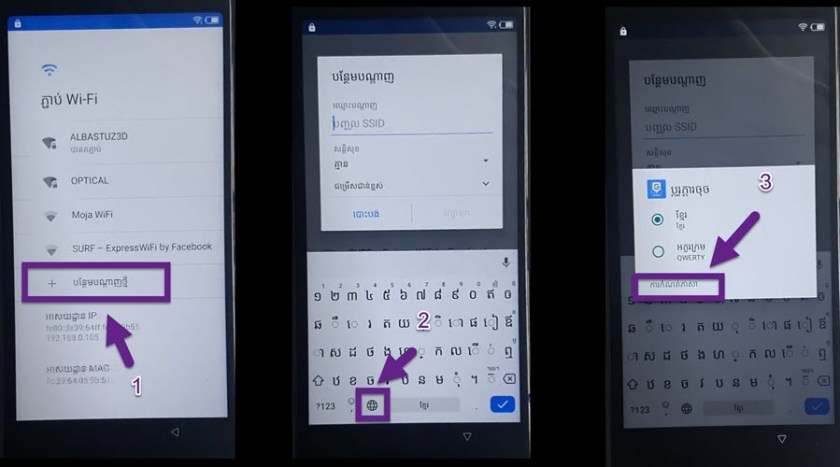
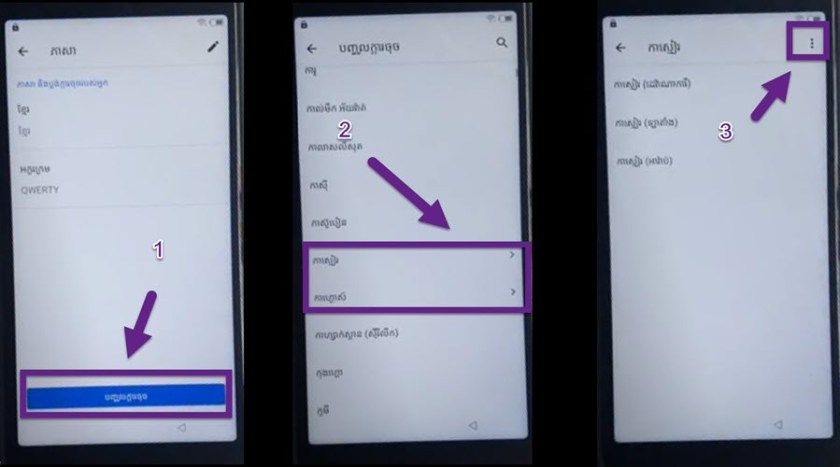
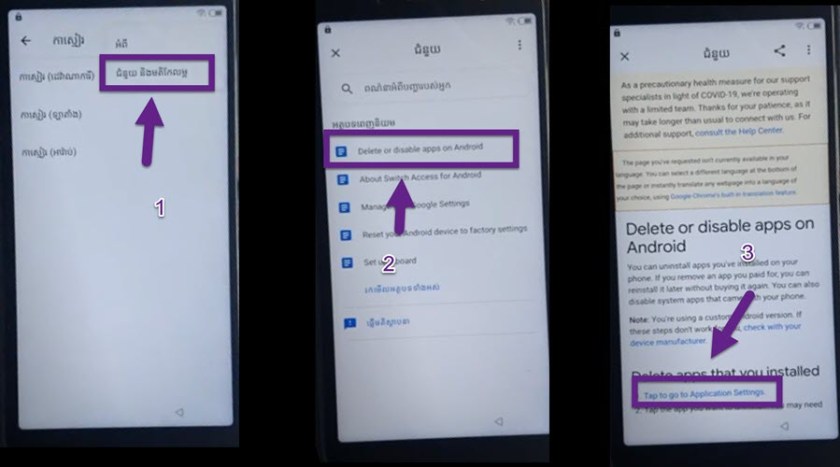
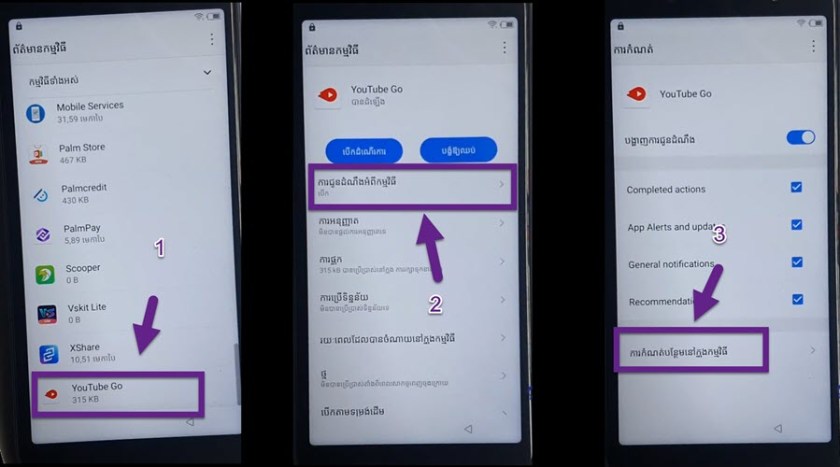
Bypassing the FRP lock on an Itel A14 without a PC is a simple and straightforward process that can be completed in minutes. This tutorial has outlined the steps needed to bypass the FRP lock. Overall, bypassing the FRP lock is a relatively safe and simple process that can be completed without a PC.
Read more: Download Vnrom bypass FRP Apk Free 2022