
FRP bypass Infinix Note 3 Gmail verification lock without PC is now possible with the latest method which is described in this post. This method is only for the Infinix Note 3 android users who are facing FRP lock issue after the hard reset of their Infinix Note 3. So, if you are one of those users then this post is only for you.
Infinix note 3 is a popular smartphone that is used by many people around the world. However, some users have reported that they are unable to bypass the Google verification lock on their devices. This can be a frustrating issue, as it prevents the user from accessing their device. In this tutorial, I will explain how to remove the Infinix note 3 FRP bypass Gmail Verification Lock without a PC. I will provide step-by-step instructions on how to do this.
There are a few methods that you can use to remove the Infinix note 3 FRP bypass Gmail Verification Lock without PC. However, the most effective and reliable method is to use this guide. With this tutorial, you can easily and quickly bypass the lock, without having to worry about any technicalities.
How to Bypass FRP Infinix Note 3
- Power ON your Infinix Note 3.
- Visit this link FRP APK and Download QuickShortcutMaker and copy it to the SD card.
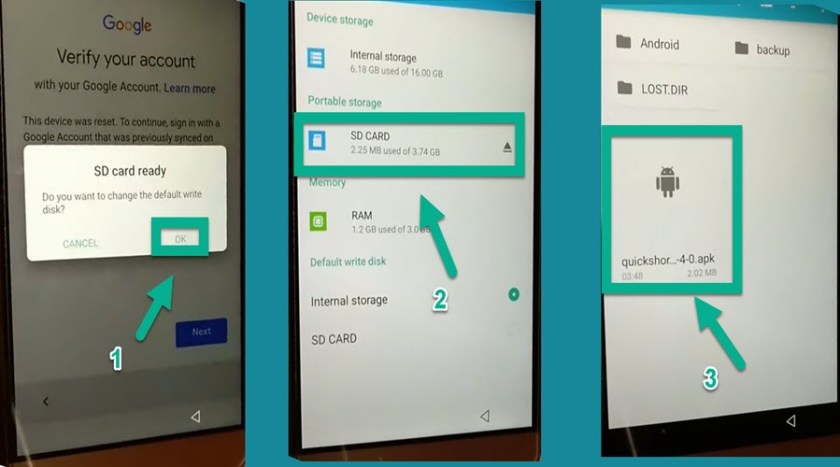
- Insert the SD CARD on your Infinix Phone
- OK > SD CARD > QuickShortcutMaker.

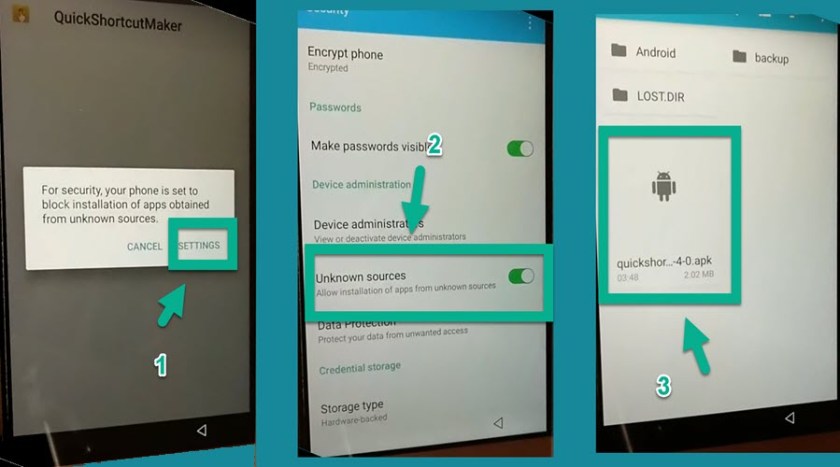
- Settings > Turn on Unknown sources > QuickShortcutMaker.
- Install QuickShortcutMaker & open it:
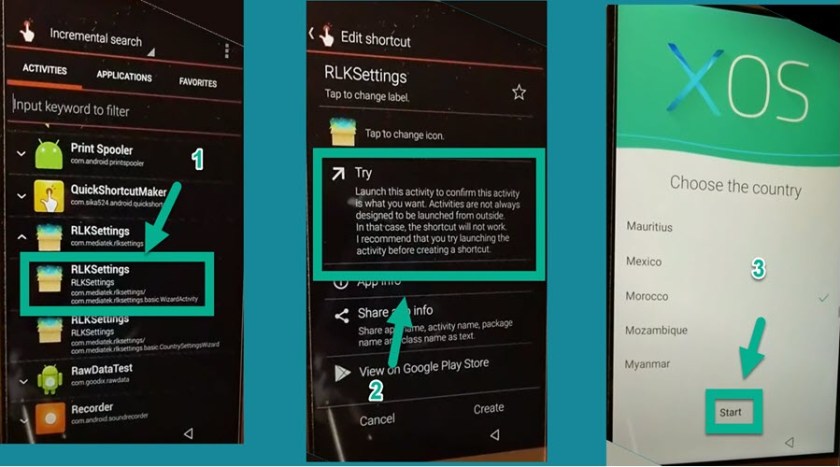
- RLKSettings > TRY > choose any country.
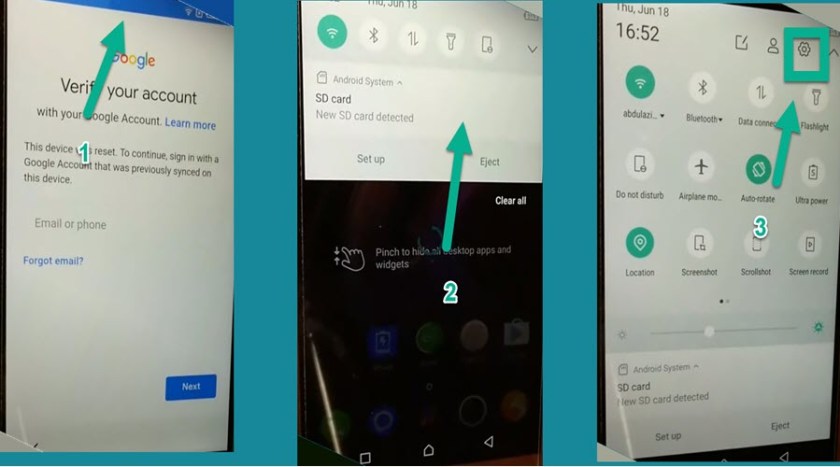
- Now, swipe from the top and swipe again then click on the Settings Icon.
- Settings > About phone > Tap 7 times on Build Number.
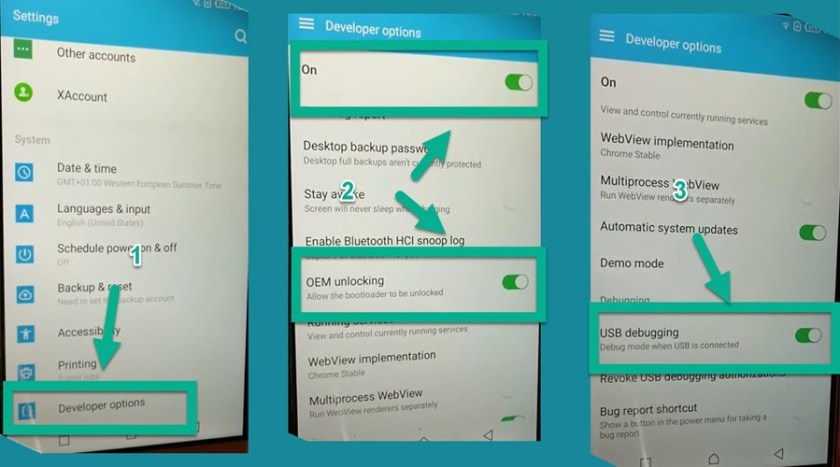
- Go back to setting > Developer options > Enable OEM Unlocking & USB debugging.
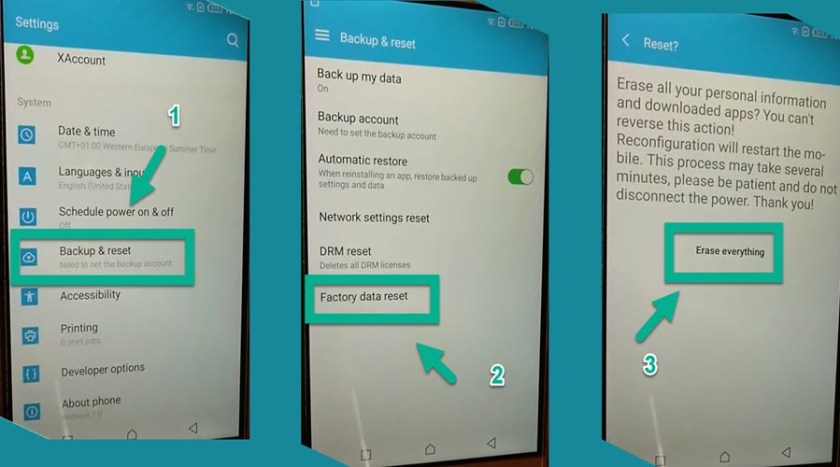
- Finally, Factory reset your Infinix Note 3
- Settings > Backup & reset > Factory data reset > RESET PHONE >ERASE EVERYTHING.
- That’s how you can remove FRP Infinix Note 3 Gmail lock Infinix X601.
Read more: Infinix x572 FRP bypass Note 4 Without Pc