FRP bypass allows you to unlock your phone without paying a dime. All you need is a computer or the same time without using the Pc. In this article, I show you how to unlock your Samsung Galaxy with UnlockGo.
Samsung has become synonymous with smartphones. The company makes some of the most popular devices around, from the Galaxy S series to the Note line. With over 2 billion mobile subscribers worldwide, Samsung is the largest smartphone manufacturer in the world. They’ve earned a reputation for producing high-quality devices at affordable prices.
What is the FRP Bypass Google account?
The FRP (Factory Reset Protection) is a security feature that prevents users from factory resetting their devices. It can be enabled by default on all new phones and it can be disabled only after the user enters the correct password.
FRP bypass google account and password are not available on all models. If you are looking for an alternative way to unlock your device, then you should try UnlockGo. It works on almost every model of Samsung phone. You can use it to unlock any Samsung phone including the latest ones such as the Galaxy S8/S9/Note 8/Note 9.
UnlockGo is one of the best ways to unlock your Samsung phone. It doesn’t require you to have access to your Google Account or Password. This means that you don’t need to worry about losing your data if you forget your password.
UnlockGo is a free app that will allow you to unlock your Samsung phone without having to pay anything. There’s no credit card required either.
FRP Bypass The Samsung Devices With UnlockGo
UnlockGo is compatible with many different Samsung devices. If you want to unlock your Samsung phone, then you should try unlocking it with UnlockGo. It is the fastest method to do so. If you want to know more details about how to Frp bypass Samsung, follow the steps below:
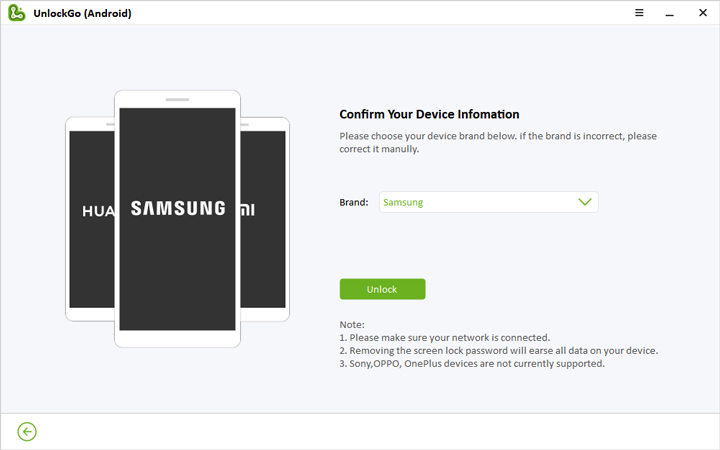
Step 1: Download UnlockGo App From the website Official.
Step 2: Download and install UnlockGo for Android
Step 2: Use a USB cord to connect your Samsung phone to your PC.
Step 3: After that, Select the feature “Remove Google Lock(FRP)” and click the “Start” button.
Step 4: Then, choose the “All Android versions” option.
Step 5: Click the “Next” button.
Step 6: You will see a pop-up window with these instructions, Enter the secret code to open the Samsung diagnostics menu that is hidden.
Step 7: Your Samsung Device is now unlocked!
Step 8: Restart your phone and enjoy your newly unlocked Samsung phone.
In addition to unlocking your Samsung phone, UnlockGo also helps you to remove the Google lock screen so that you can customize
UnlockGo is one of the best tools to unlock your Samsung phone because it does not require you to enter your Google Account or Password to unlock your phone. It is very easy to use and it will work on almost every Samsung phone.