If you have an Honor phone, you may be familiar with FRP bypass. This is a process of bypassing the security features of the phone so that you can use it without having to provide a Google account. This can be useful if you have forgotten your Google account information or if you have purchased a used phone that is locked to a previous owners account. In this article, we will show you how to remove Honor FRP bypass the Gmail account lock without using a PC.
Bypassing the FRP lock on Honor devices is a simple process that can be done without the need for a PC. This essay has shown the steps needed to bypass the FRP lock on Honor devices. By following the steps outlined in this tutorial, you will be able to bypass the FRP lock on your Honor device and regain access to your account.
Contents
Method 1: How to Bypass FRP Honor
- Power OFF your Honor.
- Hard reset your Honor mobile:
- Press & Hold Volume Up + Power buttons until you see Honor Logo.
- On the Hard reset Page choose Clear Data using the Volume buttons, and tap on the Power button to confirm
- Choose factory reset and Type YES then factory reset.
- Wait until the hard reset process finishes.
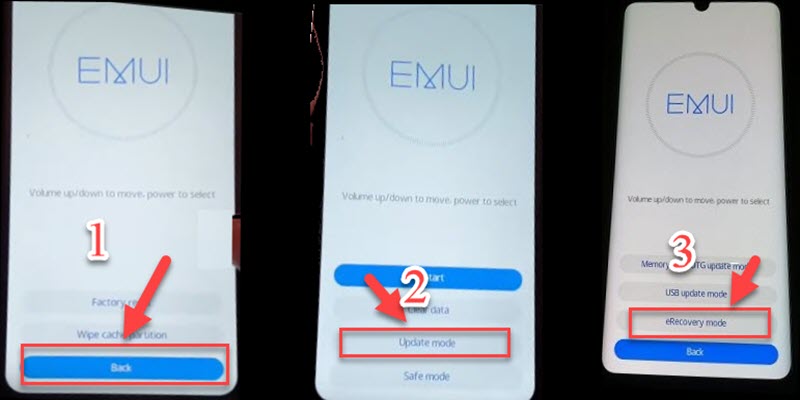
- Click on Back > Update Mode > eRecovery mode

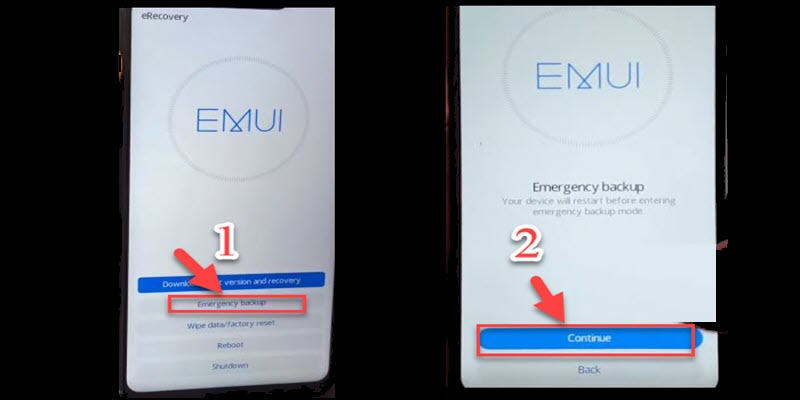
- Choose Emergency backup then Continue.
- Your device will restart automatically
- Now, Insert a Sim card with a data plan on it to access the internet.
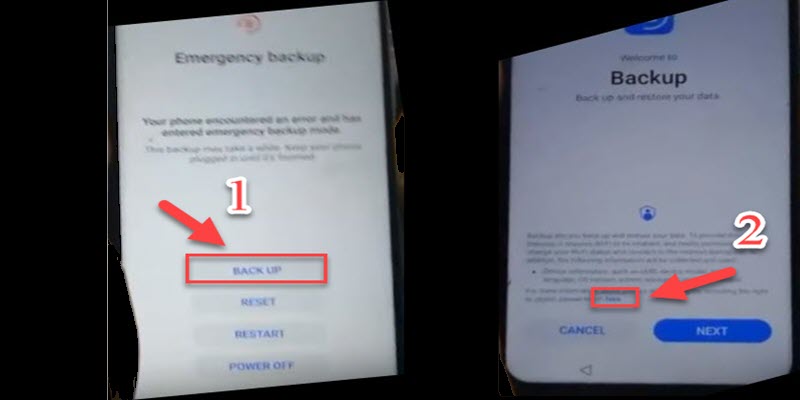
- Click on Backup then click on HERE
- A Google chrome page appears on the screen
- Visit this link FRP APK and Download the Quick Shortcut apk
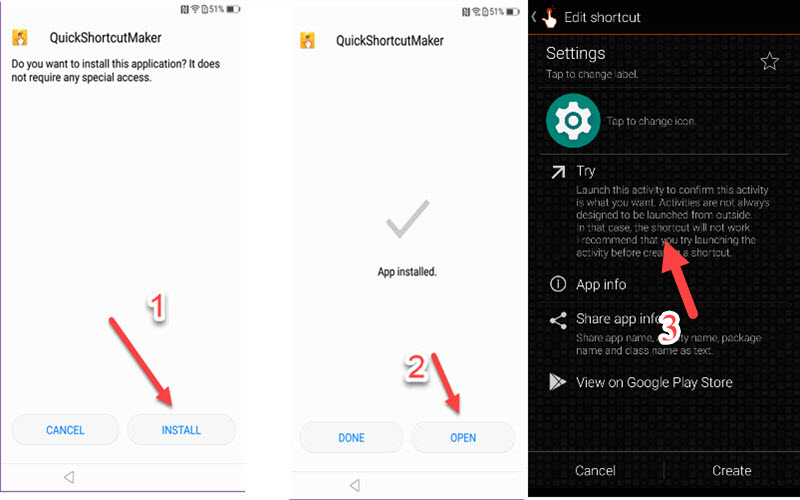
- Install Quick Shortcut Maker & open it
- Search on Settings & click on TRY

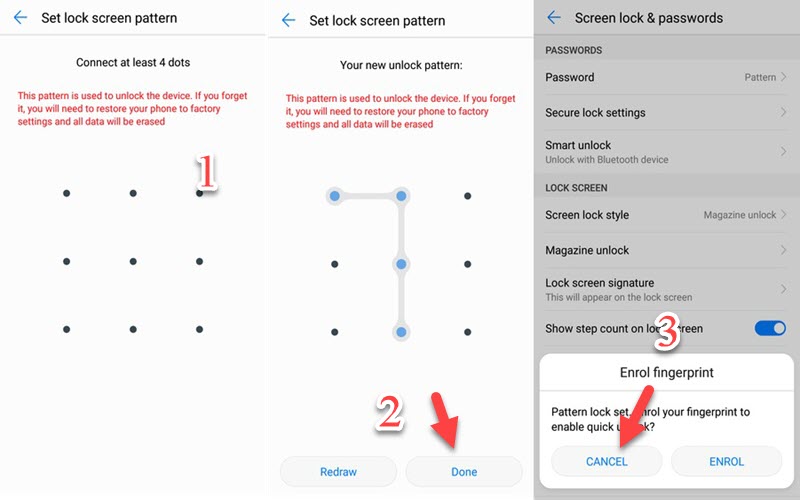
- In the Setting choose Security & Privacy > Password > Pattern.
- Set up a lock screen Pattern then click Cancel.
- Now go back to setting home > Users & account > Add account > Google
- Sign in with your Gmail account.
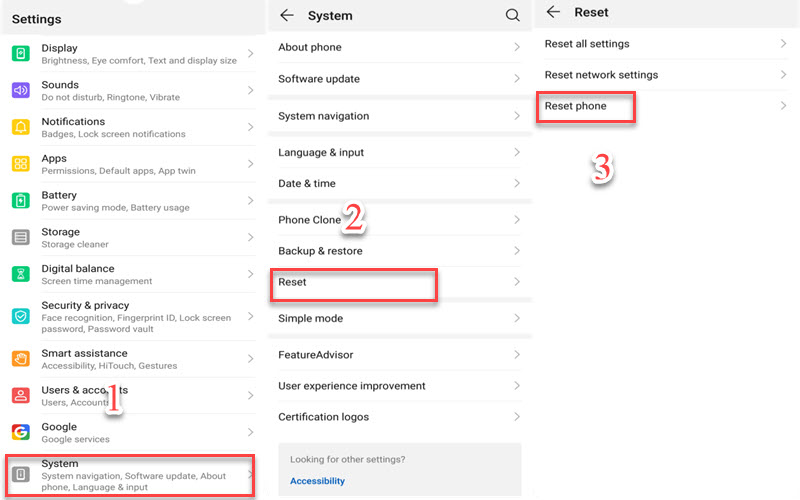
- go back to setting home > System > Reset > Reset phone
- Draw the Pattern lock that you set up then Reset phone > Reset phone.
- Thats it! you have successfully removed the Honor FRP bypass Android 10 FRP Lock Bypass.
Method 2: FRP Bypass Honor
- Press & hold the volume up + The volume down first then press the power button and keep pressing all together.
- Your phone will detect the package and will start the update process automatically.
- The first boot may take up to 5 minutes so be patient.
- Now you need to Hard reset your Honor mobile:
- Press & Hold Volume Up + Power buttons until you see Honor Logo.
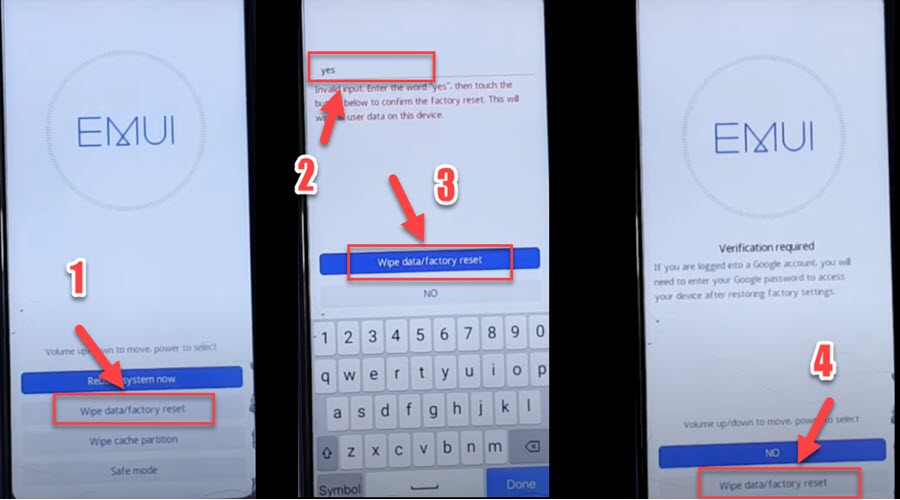
- On the Hard reset, Page choose wipe data/factory reset using the Volume buttons, and tap on the Power button to confirm
- Type YES Then choose wipe data/factory reset.
- Click on wipe data/factory reset & Wait until the hard reset process finishes.

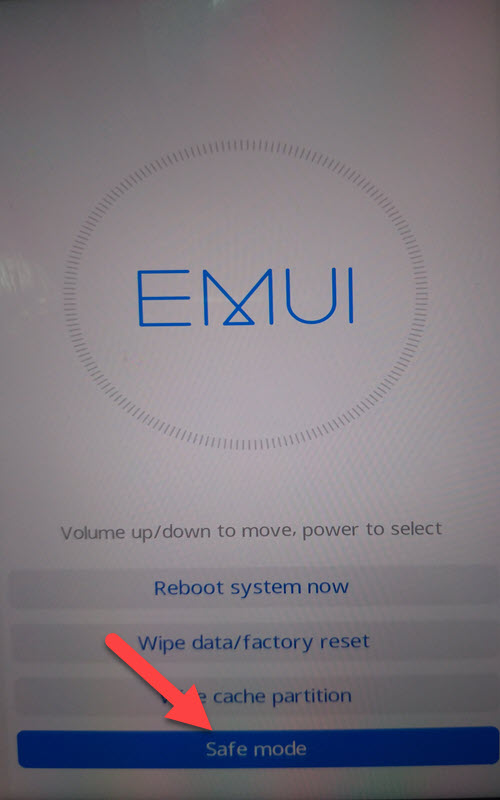
- Once the hard reset ends select the Safe Mode option using the Volume buttons and tap on the Power button to confirm.

- Once the Honor turns on in Safe mode Go to Settings > System.
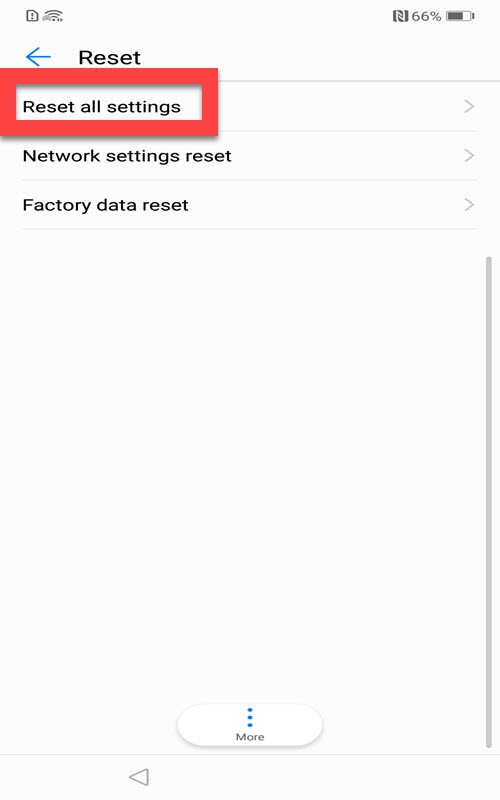
- Reset > Reset all settings > Reset all settings.
- Finally, Restart your Honor
- You have successfully FRP Unlock Honor Via Safe Mode.
Read more: Download Miracle Thunder Tool Full Free