Are you looking to unlock your Samsung A12 smartphone? Many users need to bypass the factory reset protection, or FRP, on their Samsung A12 device. In this tutorial, we’ll show you how to bypass the FRP on your Samsung A12 Android 11 device.
The Samsung A12 FRP Bypass Android 11 is the perfect hack for people who forgot their Google account password and want to start using their phone again. Even if you know your Google account password, you will still need to bypass FRP first. FRP Bypass for Samsung a12 for Android 11 will help you to unlock your phone without knowing your Google account information. Removing FRP for Samsung A12 Android 11 is an easy process. You only need a couple of minutes to do it. Follow these steps and you will be able to bypass the FRP.
How to FRP Bypass Samsung A12
- Download the Easy Samsung FRP tool
- Run the SamsungFrp tool as an administrator.
- Click on Disable Drivers Signatures then restart your computer.
- Again Run the SamsungFrp tool as an administrator.
- Connect your Samsung Galaxy A12 device to a working Wifi network.
- Click on Bypass FRP and the USB driver Installing.
- A page Open up on your FRP device
- Click on View to open the browser
- Visit this link FRP BYPASS APK and click on Open Setting
- First, on an open Phone, you need to restore the Alliance Shield X app in your Samsung Account
- Accounts and backup ==> Accounts ==> Add Account.
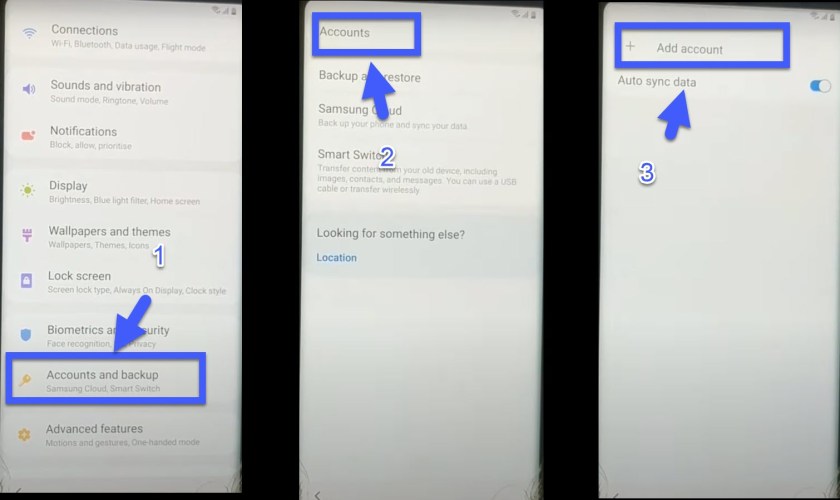
- Choose Samsung Accounts & sign in with the Samsung account that backup the Alliance Shield X app in it.
- Backup and restore ==> Restore data ==> Apps ==> Alliance Shield X ==> Done.
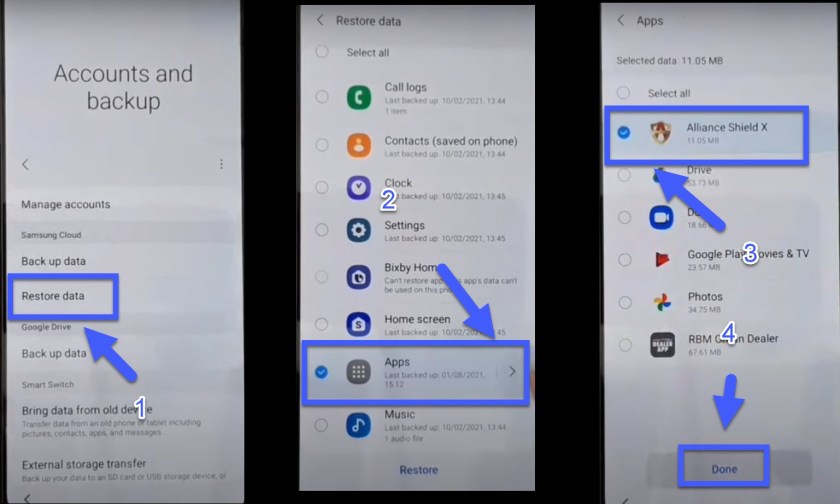
- Restore ==> Install ==> Wait until restoring complete.
- Done ==> Later ==> Go back to browser page.
- Click to Open Galaxy Apps:
- Update the Galaxy store and wait until the installation finish.
- Again Click to Open Galaxy Apps:
- Search for S8/S7 Launcher ==> Download and install ==> Open.
- Continue ==> OK ==> Let’s Go.
- Register with a new account on Alliance Shield X then sign in.
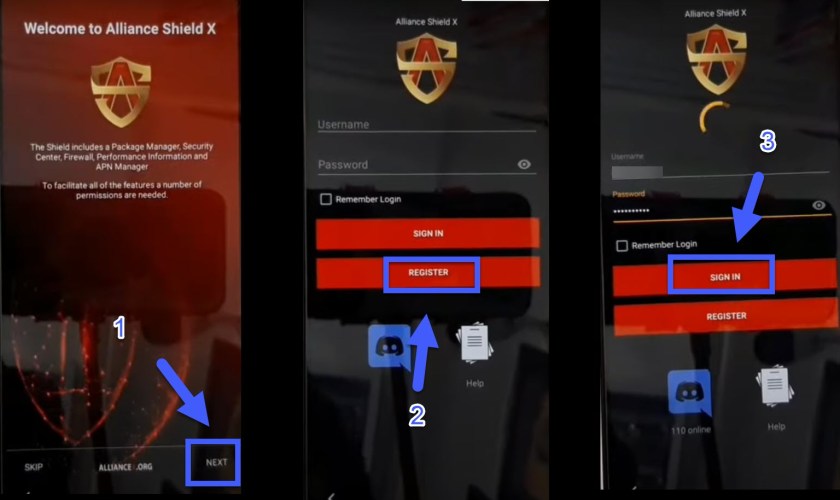
- Turn ON device admin ==> Next ==> Turn ON Knox ==> Next ==> Finish.
- App manager ==> Close ==> Service Mode.
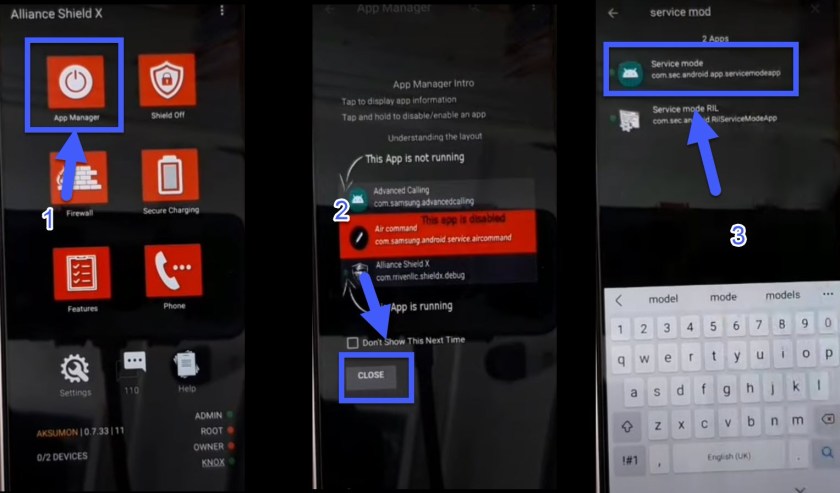
- Search for Activities USB Settings ==> Open ==> Connect your Samsung A12 mobile to the PC via USB cable ==>MTP + ADB ==> OK.
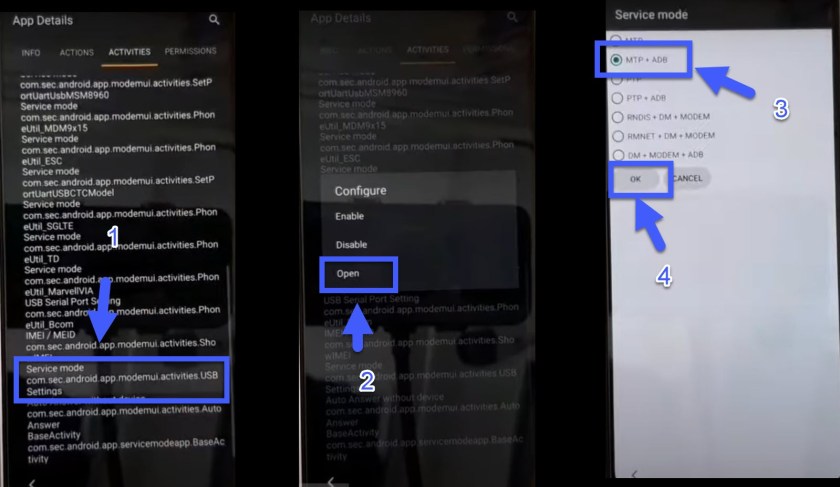
- Go back to the Home page
- Download the GSM Flasher ADB Bypass FRP Tool on your computer and Run FRP Remover Cracked.exe
- The tool detects the device name Samsung A12 and the android version 11.
- Click on the Remove FRP button.
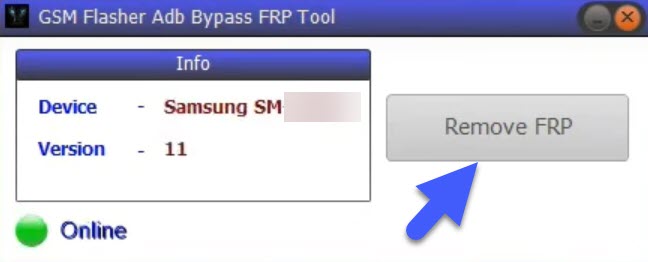
- Wait until the Bypass FRP lock on your Samsung A12 is Done.
- Restart your Samsung A12 and That’s it! you have successfully Bypass Samsung A12 Google Account Android 11.