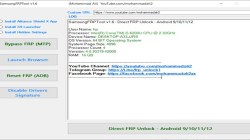
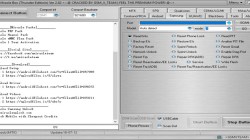
Looking to bypass the Google account lock on your Android phone? Vnrom bypass FRP Apk can help you do just that, without the need for a PC. Follow our simple steps and you’ll be able to unlock your device in no time. Vnrom FRP Bypass Apk can be used on any Android phone that has a Lollipop 5.0, Marshmallow 6.0, Pie 9.0, Nougat 7.0, Oreo 8.0, Android 10, or Android 11 R operating system.
Google’s FRP (Factory Reset Protection) feature is designed to protect your personal data and privacy in the event of your phone being stolen. FRP security is a great way to protect your Android device, but the process of unlocking it can vary depending on your phone and Android version. In this article, we’ll show you how to unlock FRP security on a variety of devices. Therefore, it is important to remember your Gmail account information to avoid being locked out by FRP protection.
FRP is automatically activated when you set up a Google Account on your Android Phone for the first time. If you reset your phone without removing the Google Account, you will need to log in with the same Google ID and password that you set up earlier on the device to bypass the Gmail lock verification on your android phone.
Contents
Download VNROM APK
VNROM APK is available for download here. It is compatible with Android devices only.
- Name: Bypass VNROM FRP.apk
- Size: 28 MB
- Type: apk
- Compatible: Android 5, Android 6, Android 7, Android 8. Android 9, Android 10, Android 11. Android 12.
- Download VNROM apk: Mediafire - Userupolad
How to use Vnrom bypass FRP Apk
- Visit this link FRP BYPASS APK and Download Apex Launcher APK & FRP vnROM APK:
- Install Apex Launcher & open it.
- Setting -> lock screen security -> other security settings device -> administration
- Turn OFF Find My Device.
- Return to the settings page & tab on APPS.
- Tab on 3 Dots & choose Show system apps.
- Find Google Account Manager - > Storage -> Clear Data -> Disable
- Google Play Services -> Storage -> Manage Storage -> Delete All Data -> Disable
- Now go & install bypass FRP apk.
- Return to Setting -> Cloud & accounts -> add account -> Google
- Sign in with your Gmail address & confirm.
- Go back to Setting -> apps -> Disabled -> & Enable Google Play Services
- Finally, Restart your Android device. You have successfully Bypass FRP Google Account Lock 100% Working.
Read also: