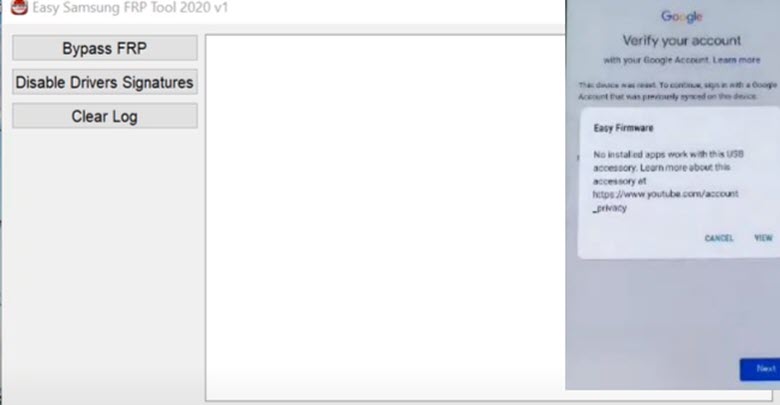
Are you trying to download the Easy Samsung FRP tool because you are facing difficulty in using your Galaxy device? Don’t worry. We can help you get rid of your problem. You will be able to use your Samsung device again. Here, you’ll learn the steps to follow to Download the Samsung FRP tool.
The FRP account is designed to protect your phone from anyone trying to steal your information if it gets lost or stolen. But, for many people, the FRP account is a nuisance. FRP is a big problem for Samsung users. If you want to download the Samsung FRP tool and remove the FRP lock or bypass the FRP lock from your Samsung device, then follow the simple steps which are given below to bypass the FRP account on your Samsung Galaxy.
We are sharing a new tool for Samsung unlock and we hope this tool will help you to unlock the device. This tool is free for download. Samsung FRP tool is the best tool for FRP unlock. You can download this tool from here and follow the steps. Download this tool now and enjoy.
Contents
Download the Easy Samsung FRP tool
Are you looking to download the Samsung FRP tool? If yes then you are at the right place because in this post I will tell you how to download the FRP tool and how to use this tool to remove FRP from your Samsung devices.
- Easy Samsung Frp 2022 v2.7: Download Link
- Easy Samsung Frp 2021 v2: Download Link
- Easy Samsung Frp 2020 v1: Download Link
How to Use Easy Samsung FRP Tools
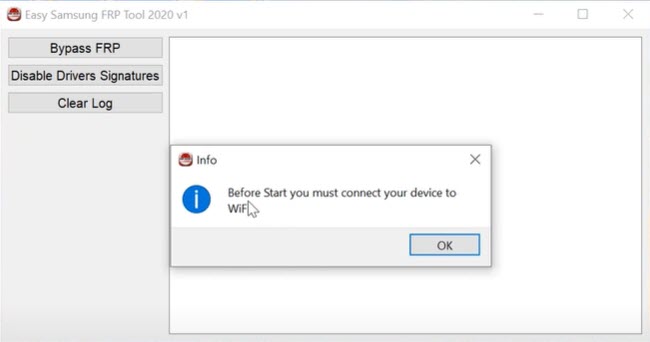
- Run the SamsungFrp tool as an administrator.
- Click on Disable Drivers Signatures then restart your computer.
- Again Run the SamsungFrp tool as an administrator.
- Connect your Samsung Galaxy device to a working Wifi network.
- Click on Bypass FRP and the USB driver Installing.
- A page Open up on your FRP device
- Click on View to open the browser
- You can use any method to bypass the FRP on a Samsung Galaxy device.
How to Fix Launching browser event Failed
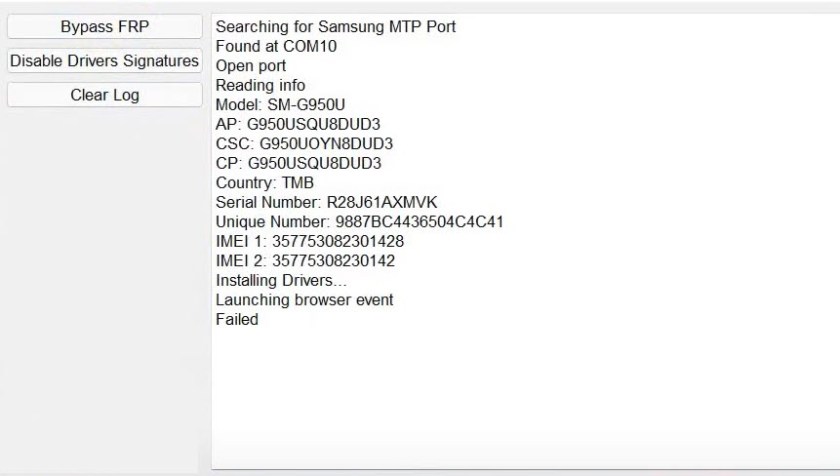
If you are having trouble launching a browser event, there are a few things you can try. Follow these steps to get started.
- Click on the Start menu
- Click on Power
- Press Shift & choose to Restart your Computer.
- Choose Troubleshoot
- Choose Advanced options.
- Choose Startup Settings.
- Click on Restart
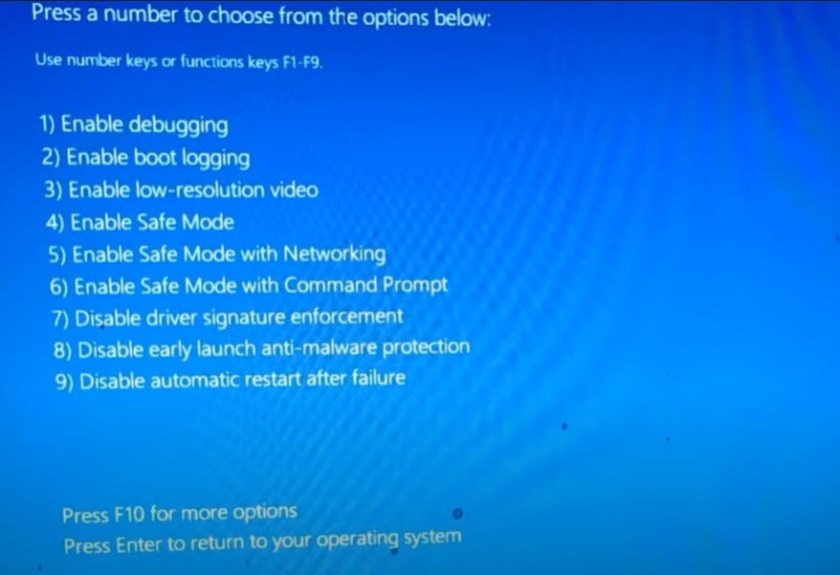
- Tap on 7 Disable driver signature enforcement.
- Go to windows settings
- Click on Windows security
- Click on Virus & threat protection.
- Click on Manage settings.
- Turn OFF real-time protection.
- Open the tool again.
if you have any questions or need help, just let me know. I will be happy to try and answer any questions you might have.
Read More: